Scaling Your Application
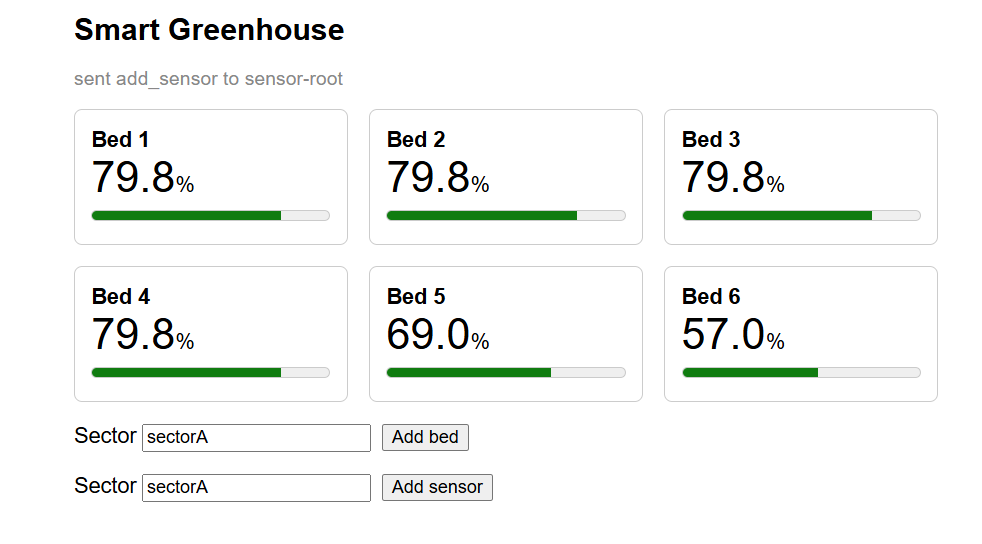
Every cell you have deployed so far was a root: listed in app_specs.yml, deployed by the CLI, one instance per line. A real greenhouse does not work like that. Beds are added over the season and sensors are screwed to whichever Raspberry Pi is nearest, and nobody wants to edit a file and redeploy for each one. In this tutorial a root cell spawns other cells at runtime, and you learn what that means for identity, placement, and what happens when a node dies.
Preview version. Restart policies apply to root cells only. A spawned cell is not restarted by the swarm; its parent is told that it was lost and decides what to do. This tutorial shows how to make that decision with the tools available today. The Roadmap describes how supervision becomes something the swarm does by itself.

Prerequisites
- Completed the Smart Greenhouse: you know what the grow-bed and the sensor do, and how the dashboard reaches the browser.
- Completed Resilience: you know what placement tags, restart policies and
myrmic replicatedo. - No Myrmic runtime running. If one is, stop it:
myrmic runtimes delete <name>.
You will use three terminals:
| Terminal | Runs |
|---|---|
| Terminal 1 | your working shell: start and kill runtimes, deploy, send |
| Terminal 2 | myrmic subscribe or myrmic telemetry debug - a live view |
| Terminal 3 | the gateway, from Part 4 on |
The finished code is in the repository under examples/scaling-greenhouse. The tutorial builds it in a fresh scaling/ workspace so nothing you do here touches your Smart Greenhouse.
Tutorial Parts
- A Root That Spawns - build a bare grow-bed and a bed root, and spawn three beds from the CLI into two sectors - learning how one cell creates another, and where it runs.
- Bringing Beds Back - kill the node a bed runs on, then the node the root runs on, and teach the root to bring its beds back - learning how a parent is told about a lost child and how it rebuilds its tree after its own restart.
- One Sensor per Bed - build a sensor root, spawn one mock sensor per bed from the CLI, and pair each bed with its own sensor by name - learning how spawned cells find each other and how a cell filters a broadcast event.
- The Dashboard - put the greenhouse on a web page with two inputs that add beds and sensors from the browser - learning how a browser sends commands into the swarm through the gateway.